
Download PDFelement 6 – Powerful PDF Editor for Windows, Mac, Android & iOS
Overview
PDFelement 6 is a versatile PDF editor that targets both casual users and professionals who need a reliable tool to fill, edit, annotate, and secure PDF documents. Available in free and paid editions, the software balances a clean interface with a surprisingly deep toolbox. While it shines when handling interactive forms, adding comments, and tweaking document permissions, it shows its limits in bulk conversion and advanced merging tasks. The program positions itself as an all‑in‑one solution for everyday PDF chores, promising a “Word‑processor‑like” experience that lets you type directly into a PDF, rearrange pages, and insert images without needing a separate conversion step. Security‑focused features such as password protection, redaction, and digital signatures are built‑in, making PDFelement 6 a decent candidate for small‑business compliance needs. The free version offers essential editing and annotation tools, while the paid license unlocks OCR (Optical Character Recognition), batch processing, and premium form‑creation capabilities. In real‑world use, the editor feels responsive on modern hardware, and its ribbon‑style toolbar mimics familiar Microsoft Office layouts, reducing the learning curve for new users. However, power users looking for a robust PDF‑to‑Word or PDF‑to‑Excel conversion engine may find PDFelement 6 lacking compared with dedicated converters. Overall, if your primary workflow revolves around filling out PDF forms, adding comments, and applying simple edits, PDFelement 6 delivers a secure, user‑friendly environment that can be downloaded and installed in minutes.
Key Features
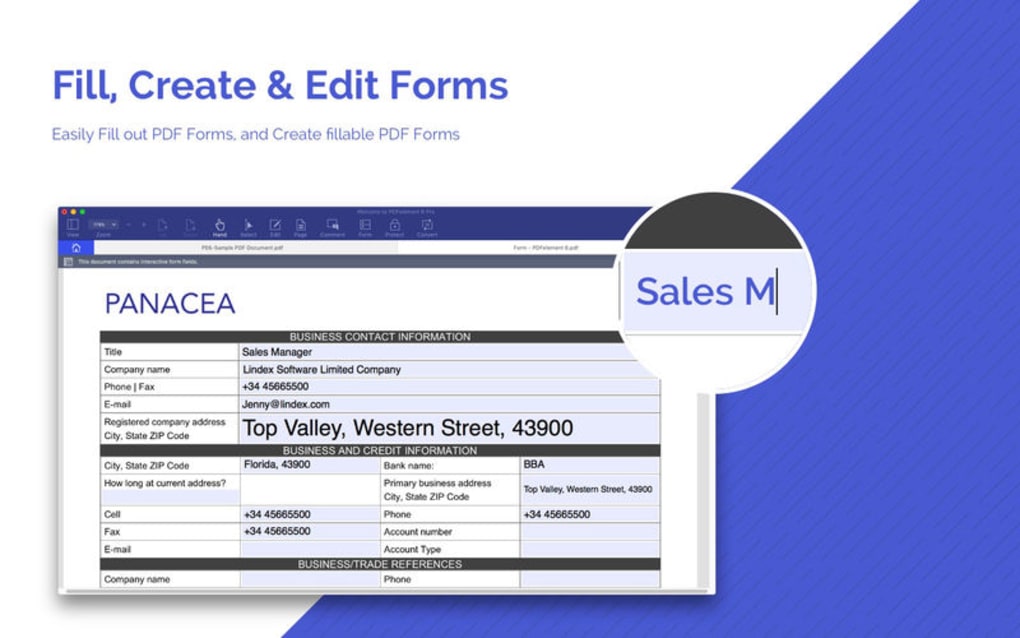
- Form Filling & Creation: Easily complete interactive PDF forms, add checkboxes, radio buttons, and digital signatures. The paid version includes a form‑designer to build custom fillable forms from scratch.
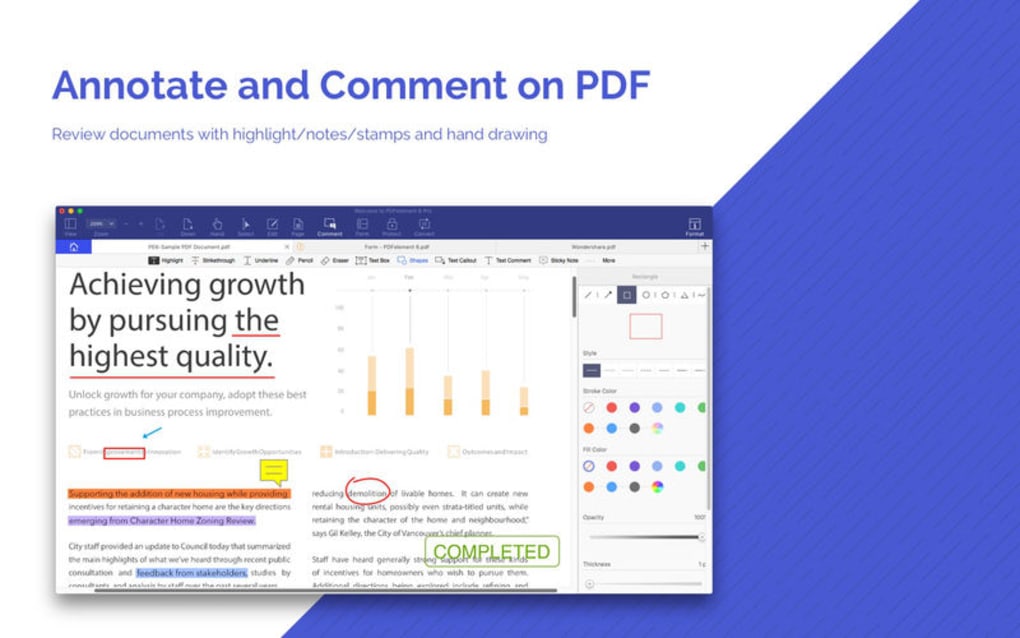
- Annotation Toolbox: Highlight, underline, strike‑through, add sticky notes, and draw shapes. Comments can be exported for collaborative review.
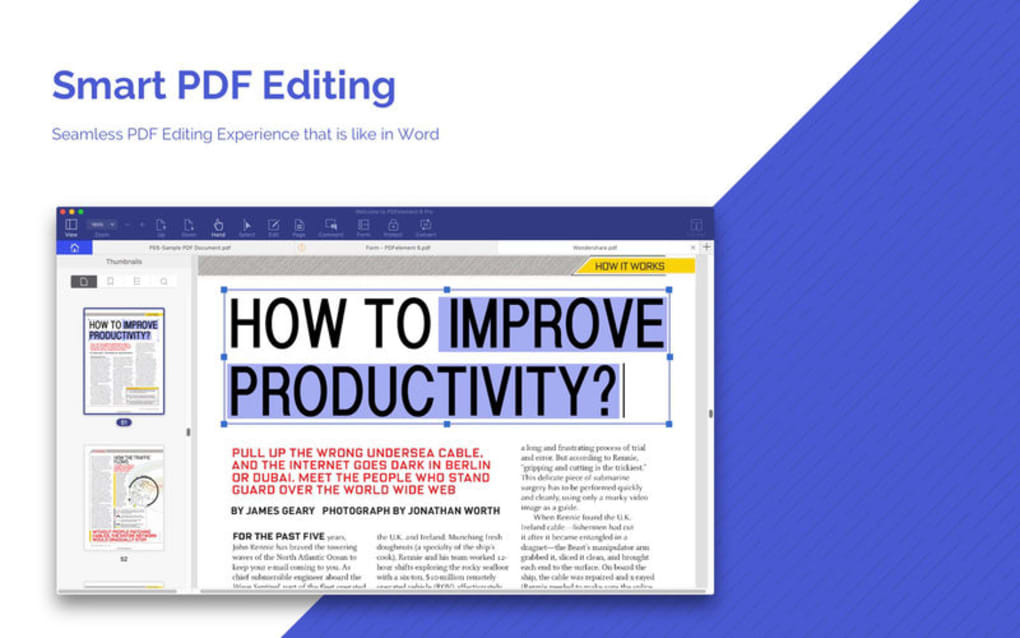
- Text Editing & Reflow: Directly edit existing text, change fonts, and adjust paragraph spacing without converting the file to another format.
- Page Management: Insert, delete, rotate, and rearrange pages via a thumbnail view. Merge single pages from other PDFs, though bulk merging is limited.
- Security Options: Apply password protection, set permissions, redact sensitive information, and insert digital certificates for authenticity.
- OCR Engine (Paid): Convert scanned images into searchable, editable text in over 20 languages, making archived documents usable.
- Batch Processing (Paid): Automate repetitive tasks like watermarking, renaming, and applying the same security settings to multiple files.
- Cross‑Platform Sync: Save files to cloud services (Dropbox, Google Drive, OneDrive) and continue editing on Windows, macOS, Android, or iOS.
Beyond the core capabilities, PDFelement 6 includes a set of utilities such as a PDF printer driver, a document comparison tool, and a built‑in PDF optimizer that reduces file size without sacrificing quality. These features collectively make the editor a solid middle‑ground between lightweight viewers and heavyweight, enterprise‑grade PDF suites.
Installation, Usage & System Compatibility
Getting PDFelement 6 up and running is straightforward. Begin by visiting the official website, selecting the appropriate download button for your operating system, and saving the installer file. The Windows installer (.exe) and macOS package (.dmg) both guide you through a classic wizard: accept the license agreement, choose an installation folder, and decide whether to create a desktop shortcut. The process typically completes in under three minutes on a mid‑range PC.
On mobile platforms, the Android and iOS versions are distributed through Google Play Store and Apple App Store respectively. After installation, the app prompts you to sign in with a free WPS account, which enables cloud sync and automatic updates. PDFelement 6 checks for updates at launch, ensuring you receive the latest security patches and feature enhancements without manual intervention.
When you first open the program, the home screen presents three primary actions: Open File, Create PDF, and Scan to PDF. Selecting Open File launches a file‑browser that filters for .pdf extensions. Once a document loads, the ribbon toolbar appears, categorizing tools into Home, Page, Form, Protect, and Review tabs. Each tab contains context‑sensitive icons with tooltips, making discovery intuitive.
System requirements are modest. For Windows, PDFelement 6 supports Windows 7 SP1, Windows 8/8.1, and Windows 10 (both 32‑bit and 64‑bit). Minimum RAM is 2 GB, though 4 GB is recommended for smooth OCR operations. macOS users need macOS 10.12 Sierra or later, with at least 2 GB RAM and 300 MB of free disk space. Mobile apps require Android 5.0+ or iOS 11.0+. The software runs efficiently on most modern laptops and tablets, and the cloud sync feature allows you to continue editing on a different device without re‑installing the full desktop suite.
To edit a PDF, simply click the Text button, click on the area you wish to modify, and start typing. An on‑screen toolbar appears, letting you adjust font size, style, and color. For form filling, the Form tab automatically detects fields; you can then type, select options, or draw a signature using a mouse, stylus, or finger on touch‑enabled devices. Once your changes are complete, choose File → Save or Export to create a new version in PDF or another supported format.
Pros and Cons
Pros
- User‑friendly interface that mirrors Microsoft Office, reducing the learning curve.
- Robust form‑filling and form‑creation tools, perfect for contracts, surveys, and government documents.
- Built‑in OCR and batch processing (paid) add considerable value for small businesses.
- Cross‑platform availability ensures seamless workflow between desktop and mobile.
- Strong security options, including password protection, redaction, and digital signatures.
Cons
- Limited bulk conversion capabilities; converting many PDFs to Word/Excel can be slow or incomplete.
- File merging works only on a per‑page basis; there is no intuitive “drag‑and‑drop” folder merging.
- Advanced features (OCR, batch processing) are locked behind the paid license, which may be pricey for occasional users.
- Occasional rendering glitches with complex vector graphics or embedded multimedia.
- Support response times can be slower for free‑tier users.
Frequently Asked Questions & Final Verdict
Is PDFelement 6 free to use?
PDFelement 6 offers a free version that includes basic editing, annotation, and form‑filling tools. Advanced features such as OCR, batch processing, and premium form design require a paid license.
Can I convert PDFs to Word or Excel with PDFelement 6?
The software provides conversion to Word and Excel, but the output may need manual cleanup, especially for complex layouts. For high‑volume or high‑accuracy conversions, a dedicated converter might be more suitable.
Does PDFelement 6 support digital signatures?
Yes. The application includes a digital‑signature tool that lets you insert certified signatures, timestamp the document, and ensure tamper‑evidence for legal and business use.
Is the software available for macOS?
A native macOS version exists and runs on macOS 10.12 Sierra or later. The interface is identical to the Windows edition, and all core features are supported.
How secure is my data when using PDFelement 6?
The application uses industry‑standard AES‑256 encryption for password protection and offers redaction tools that permanently remove sensitive content. Files saved to cloud services inherit the same security settings.
**Final Verdict** – PDFelement 6 positions itself as a solid, all‑round PDF editor that excels at form handling, annotation, and basic editing. Its intuitive UI makes it accessible for users who are not tech‑savvy, while the paid tier adds enough power‑user features to satisfy small‑business needs. The main drawbacks are its limited bulk conversion and merging capabilities, which may push heavy‑duty users toward more specialized tools. If your workflow revolves around filling out contracts, signing agreements, or making occasional edits, PDFelement 6 provides a secure, cross‑platform solution that you can download and start using within minutes. For those who need extensive batch conversions, consider testing the free version first; if it meets your core requirements, upgrading to the premium license will unlock the full suite of productivity‑boosting features.
Ready to streamline your PDF workflow? Download PDFelement 6 now and experience a faster, more secure way to edit, sign, and protect your documents.







